The child’s own board, on your device
For teachers and speech therapists. Open a student’s board exactly as they see it, change it from your own tablet or computer, and set a board up before the family has even signed up.
Your students’ boards come first
Sign in with a teacher account and the first thing you see is every board a family has shared with you. Your own board is there too, last, for when you want one.
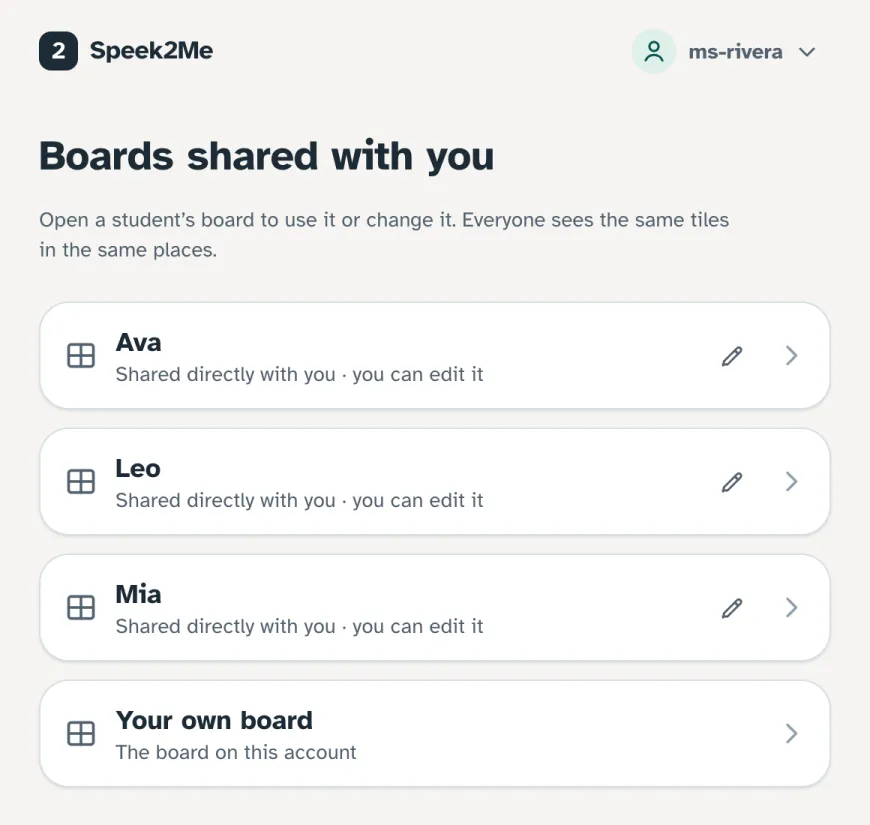
Exactly what the child sees
Not a teacher’s view or a simplified layout: the same tiles in the same places as on the child’s device. Model on it in class, and the motor patterns you show are the ones they use at home.
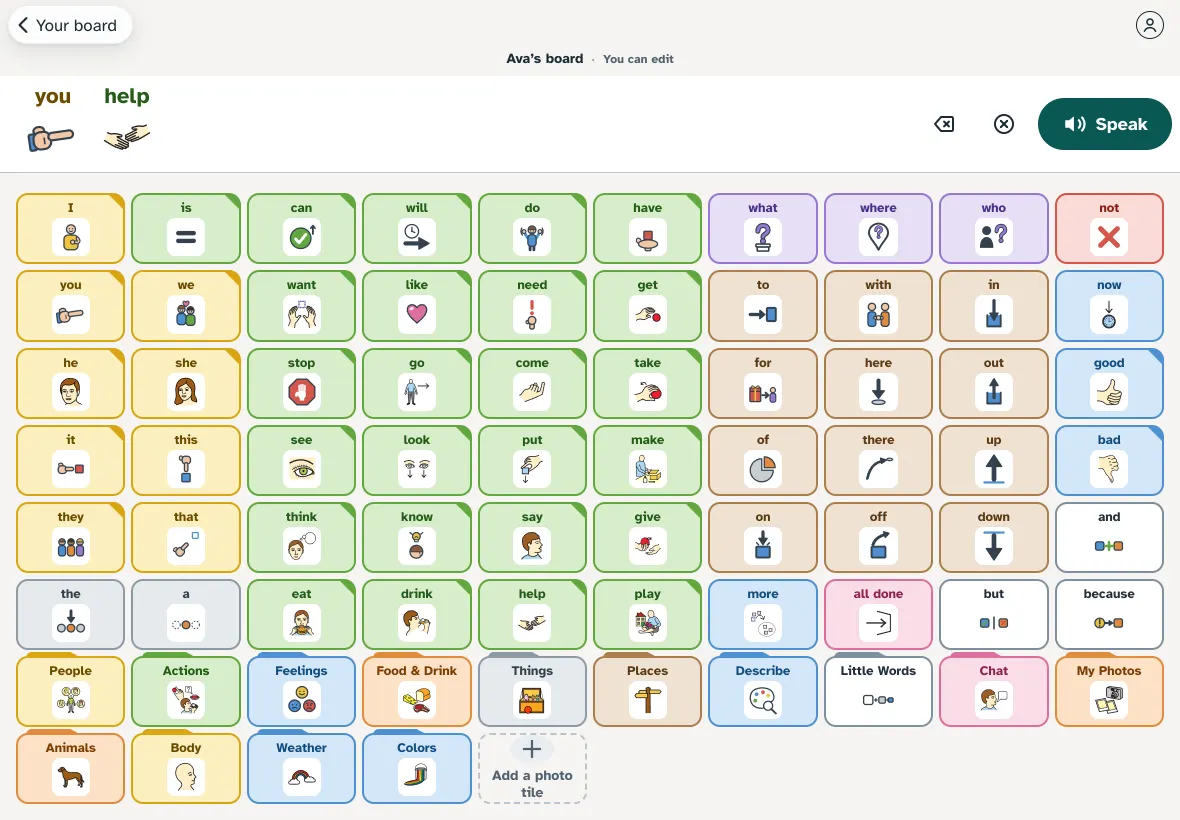
Add a word between sessions
With permission to change the board, add a photo tile, record a word or hide one, and it is on every device the child uses within seconds.
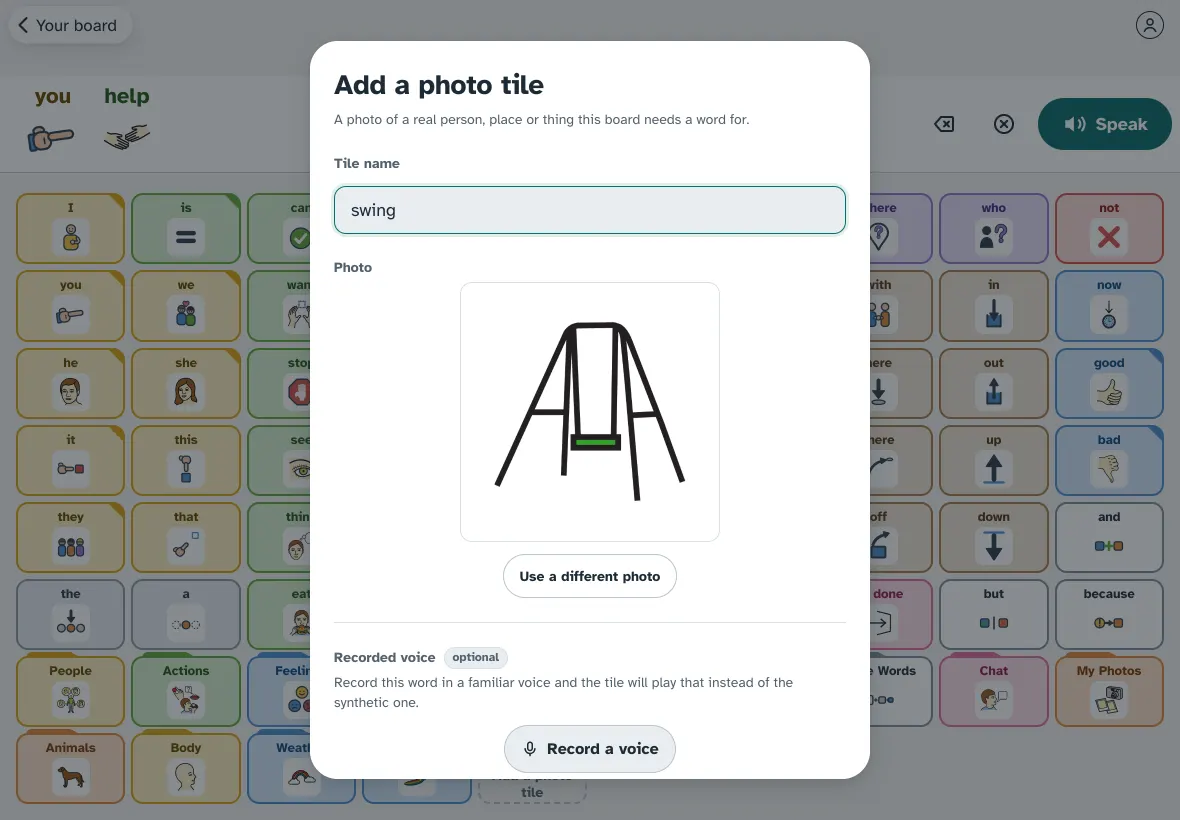
Join a family’s board with a code
The family makes an invite in Settings. Type the six-character code in Settings, scan its QR code, or open the link they send. A code works for 10 minutes and only once; the family can remove you at any time.
Set it up before the family joins
Build a board for a student in your own account, try it in a session, then send the family a hand-over link. When they sign up with it, the board is theirs. It was the student’s from the first tile, and you keep access until the family removes it.
See it with your own caseload
We are inviting families, teachers and speech therapists in small groups. It runs in any browser; apps for iPhone, iPad and Android are in testing.